
Facilitator Manual
Your Dashboard
Your home screen — upcoming sessions, monthly earnings and quick join links.
The Dashboard is the first screen you see after signing in. It gives you a snapshot of what is happening this week and lets you join a session in one click.
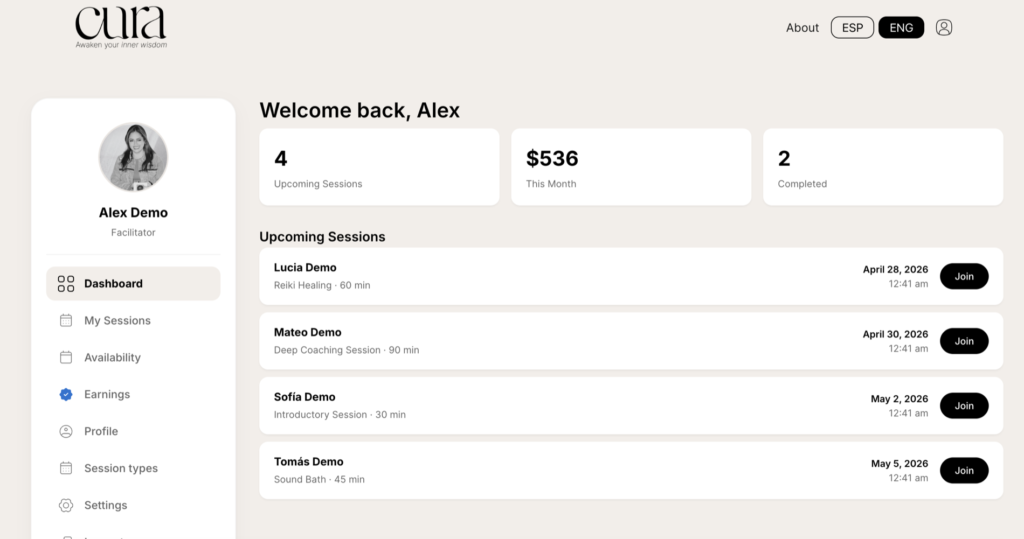
The three stats
- Upcoming Sessions — total bookings scheduled in the future.
- This Month — total earnings (paid + pending) for the current month.
- Completed — sessions you have marked as completed this month.
Upcoming Sessions
Below the stats you will see your next sessions ordered by date. Each row shows the client name, the session type, duration and the local date and time.
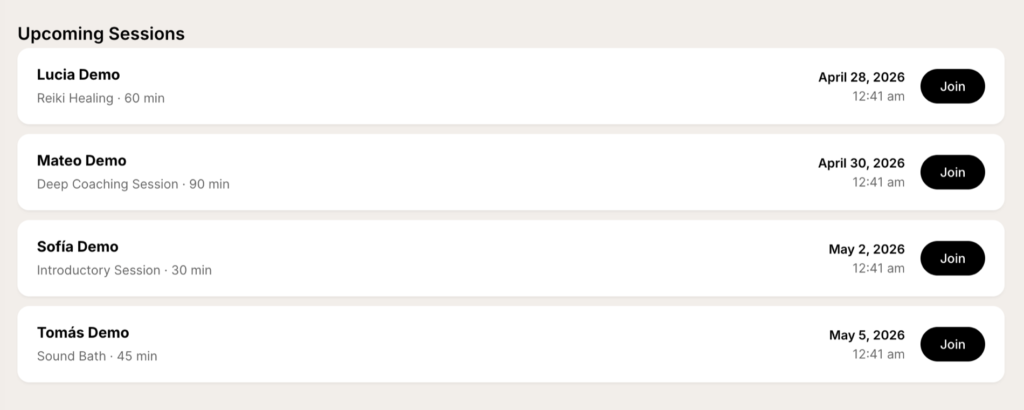
The Join button
The black Join button only appears when:
- The session is Confirmed.
- A meeting URL exists (Google Meet or Microsoft Teams) — see Connect your calendar.
- The session has not started more than its duration ago.
Clicking Join opens the meeting in a new tab. If you do not see the button, double check that your calendar is connected.