
Facilitator Manual
Session types
Define the sessions you offer — duration, price, format, languages, and whether they are included in CURA membership.
A session type is one of the services you offer. Each card you see in this tab becomes a bookable option on your public profile.
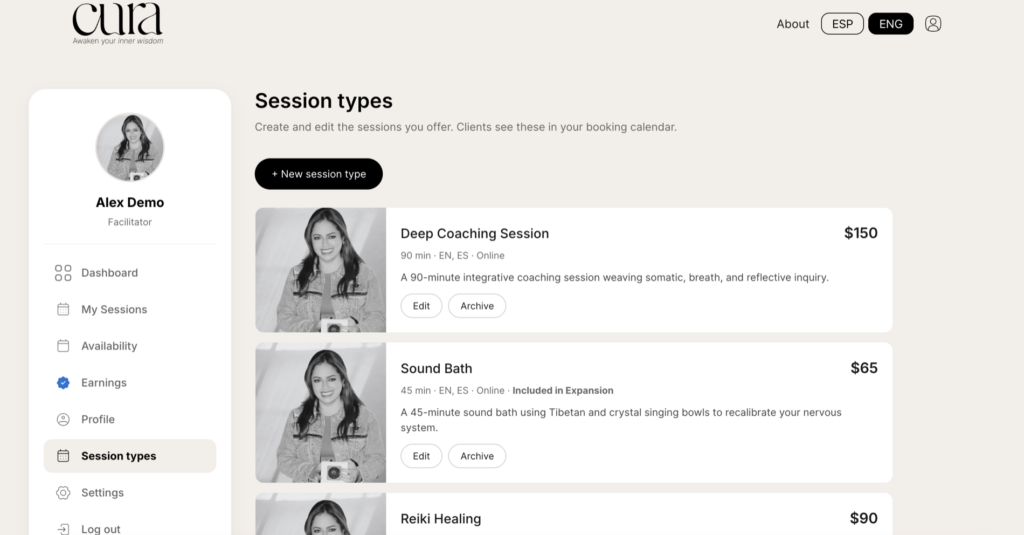
The cards
Each card shows the cover image, title, duration, languages, format, and price. Below it: a short description and two buttons:
- Edit — open the form to change any field.
- Archive — hide the session type from your public profile (clients can no longer book it). You can restore it later from the same screen.
Add a new session type
Click + New session type at the top to open the form.
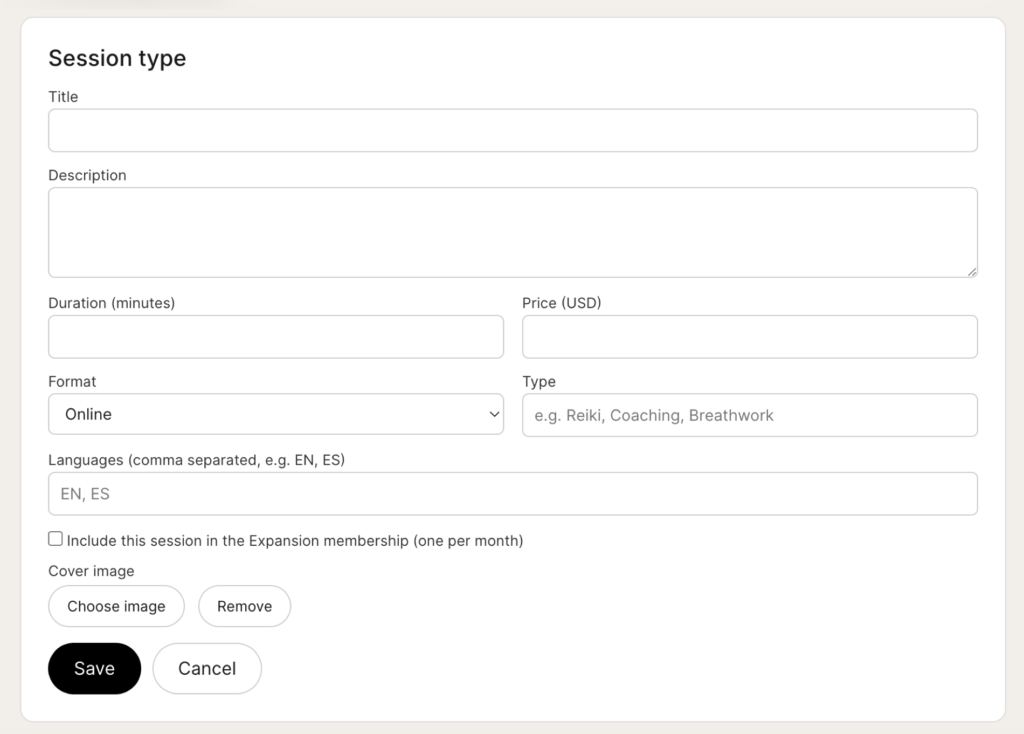
Fields
- Title — what clients see (e.g. “Deep Coaching Session”). Required.
- Description — 1–3 sentences explaining what the session involves.
- Duration (minutes) — minimum 10, in 5-minute steps.
- Price (USD) — what the client pays per session.
- Format — Online, In person or Async.
- Type — short label for the modality (e.g. “Reiki”, “Coaching”, “Breathwork”).
- Languages — comma-separated codes, e.g.
EN, ES. - Include this session in the Expansion membership — if checked, members on that plan can book this session as one of their included monthly sessions instead of paying.
- Cover image — square crops work best. Click Choose image to pick from your media library, or Remove to clear it.
Save
Click Save when you are done. The new session type appears in the cards list and on your public profile immediately.
Tips
- Keep titles short and human — clients scan, they do not read.
- If you offer the same session in two formats (online and in person), create two session types so each one can have its own price and image.
- Archive instead of delete — archiving preserves your history of bookings and earnings tied to that session.